





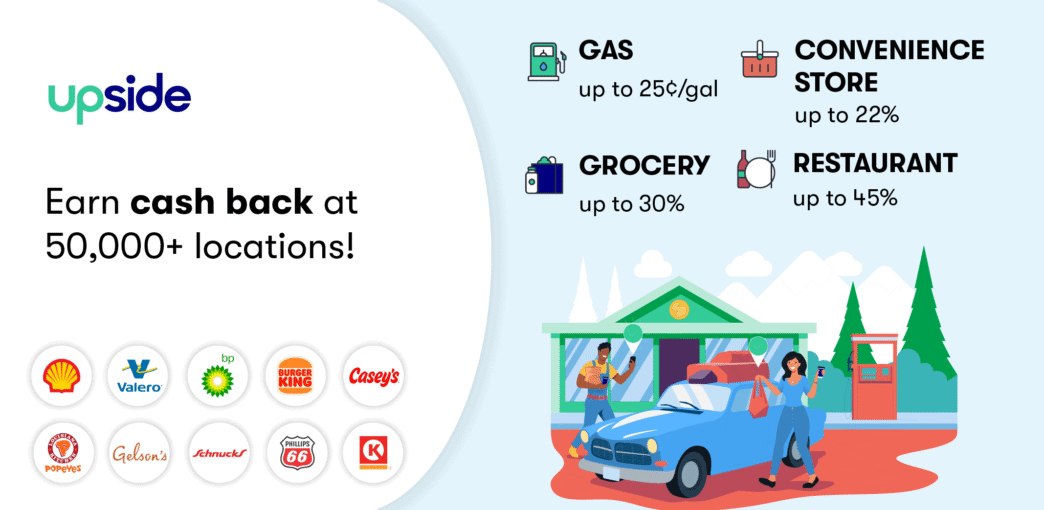
If you're looking for ways to save money on everyday expenses, you may have come across Upside, an app that offers cash-back on gas, grocery store, convenience store and restaurant purchases.
Upside started as a gas-only app, then slowly rolled out grocery and restaurant options in a handful of regions. Now it's a different story. I'm finding offers at a wide variety of local and national restaurant chains, typically around 6% back on up to $10. Fresh Market near me is consistently over 10% back on groceries, and I use it all the time.
Gas has gotten solid too, averaging well over 10 cents per gallon back on my recent fill-ups. I first tested the app in 2021 but only started using it regularly in late 2025. My lifetime earnings are $116.14, mostly from the last few months.
Pros:
- You can triple-stack Upside with product-level apps like Ibotta, receipt scanners like Fetch, and credit card rewards on the same transaction.
- Low cash-out minimums. Bank transfers start at $1.01, and gift cards (including Amazon) have no fee.
- The app keeps expanding. Gas, groceries and restaurants are established, and car wash offers have recently been added.
Cons:
- If the gas pump doesn't print a receipt and you didn't check in, you get nothing. This happened to us during our 2021 test.
- An Upside offer doesn't always mean the cheapest option. A station with 10 cents per gallon back may still cost more than one down the road with no offer.
- Cash back can take up to 10 days to process and post to your account.
Upside Key Facts
More than 35 million people have used Upside since its 2016 launch, and the app now works at over 100,000 gas stations, grocery stores, restaurants, convenience stores and car washes.
According to Upside, the average user earns about $290 per year.
Here's what you need to know before you start.
- You have to claim each offer before you buy. Skip this step and you won't earn anything, no matter how much you spend.
- Time limits vary by category. You have four hours after claiming a gas, restaurant or convenience store offer to use it, then 24 hours to upload a receipt. For grocery offers, you have 24 hours to both make the purchase and submit the receipt.
- Some locations let you check in instead of uploading a receipt. Look for the blue lightning icon next to the business name. If you check in, you have 20 minutes to make your purchase and must pay with a linked debit card, credit card or digital wallet (Apple Pay, Google Pay). Prepaid cards and EBT don't work.
- Offers are personalized. The same gas station may show you 10 cents per gallon and the person next to you 18 cents. Rates are based on the business's current margins and your history with that location. I've noticed that when I go a stretch without using the app, the offers tend to be higher when I come back, almost like a win-back incentive.
- Different locations of the same chain can have different rates or no offer at all. Claiming an offer at one location does not activate it at others.
- You can't double-dip with other gas apps. Upside will deny receipts that were also processed by another receipt-level cash-back program like GasBuddy or Checkout 51. You can, however, stack Upside with product-level apps like Ibotta, general receipt scanners like Fetch, and credit card rewards on the same transaction
- Gas offers apply to purchases of up to 50 gallons. Average cash back on gas is about 11 cents per gallon. On groceries and dining, the average is around 8%.
- Delivery orders don't qualify. You need to make the purchase in person at the physical location.
- Cash back can take up to 10 days to process. Some transactions clear in 24 to 48 hours, but don't count on it.
- Your balance expires after six months of inactivity. As long as you earn at least one cash-back reward every six months, your balance is safe.
How the Upside App Works
Here's a quick overview of how to use Upside.
Step 1: Sign up.
Download the free app for iOS or Android, then sign up.
Step 2: Activate an offer.
If you forget to activate the offer before making your purchase, you will not receive a cash-back reward. To activate, click “Claim” (as shown in the image below).
Step 3: Link a payment card.
If you want to skip the receipt upload process (which we recommend), Upside needs to be able to link your purchases with your check-in.
To do so, you need to add at least one credit or debit card by inputting the first six and last four numbers of the card in the “My Wallet” section of the app. (Note that “My Wallet” may not appear until after you claim a check-in offer.)
Step 4: Check in when you arrive at the merchant, if possible.
Not all merchants can accommodate a check-in. Check the app for a blue lightning icon next to the business's name to know whether check-in is available. If it is, press “Check In” when you arrive.
Note that you will need to share your location data to use this feature; however, you can select “While Using” in your phone's settings to limit the app's access.
Step 5: Make your purchase.
Make your purchase within four hours of claiming your offer (24 hours for grocery stores). The app will show pertinent details for each offer, such as whether the discount applies to a certain grade of gas or if there's a cash-back limit for the transaction.
Step 6: Pay with a linked card.
When you check in, pay using a linked card (see Step 3). If Upside can't match your purchase with your card, you will not get a cash-back reward.
Step 7: Upload a receipt.
If you didn't or couldn't check in, don't forget to get (and then upload) a receipt within 24 hours.
Step 8: Get paid.
Once your purchase is confirmed, the cash-back for your transaction shows in your account balance.
Step 9: Cash out.
Your cash-back will accumulate until you withdraw the money or exchange it for a digital gift card.
Our Upside Experience
Here's an overview of the pros and cons based on our experience.
Upside Pros:
- Upside offers a quick download and setup process.
- The user interface is straightforward and intuitive.
- When we signed up, we specified that we use regular gas, so every offer from a participating gas station was based on our selected grade. (Note that Upside does allow you to change the grade if needed.)
- The app never crashed and we didn't notice any bugs.
- Our receipt transactions processed quickly (within 24 hours).
- We received an email clearly explaining why one of our transactions could not be processed. (Our first transaction was made on a gas pump that had run out of printer paper.)
- Our check-in transaction was processed within 48 hours.
- Upside utilizes your geolocation information to notify you of offers when you're near a participating business. This is helpful if you want to maximize your savings, but you have the option of not sharing your background location if you'd rather not use this feature.
Upside Cons:
- Our very first transaction failed because the gas pump didn't print a receipt. We submitted a credit card screenshot, but Upside denied it because it didn't show the number of gallons.
- An Upside offer doesn't always mean cheaper gas. During our test, a station across the street offered 4 cents per gallon back, but their base price was higher. The “discount” just brought them to the same price as the station without an offer.
- High cash-back rates often come with caps. A restaurant might show 39% back but cap it at $10. Fresh Market might offer 21% back but cap your earnings at $15. The headline rate looks great until you check the fine print.
- Offers by gas grade aren't always visible in the app. You may need to check the Upside website to see whether other grades have discounts at a given station.
- Cash back can take up to 10 days to post. Most of mine have cleared faster, but some restaurant transactions have taken the full window.
Our Original 2021 Test Earnings
We tested Upside for 22 days and earned $17.26 on just three gas station visits.
Our earnings were small, mostly because we only needed to fill up twice during that period and there were no participating restaurants or grocery stores near our test location.
Updated 2025/2026 Earnings Data
Once I saw Fresh Market was on Upside, I got a renewed interest in the app. I also started seeing better gas offers in my area around the same time.
Between December 2025 and January 2026, I earned $60.24 in two months.
Here are some of my recent transactions without any referral bonuses applied, so you can see what standard rates look like:
- Fresh Market (Dec. 28): 21% cash back, earned $12.14 on a grocery run.
- Shell (Jan. 1): 14 cents per gallon cash back, earned $2.12.
- BP (Dec. 11): 13 cents per gallon cash back, earned $1.96.
Some of the other transactions in my history have a small tag icon, which means a referral bonus was applied. Those rates are higher than what you'd normally get.
The Fresh Market trips on Jan. 24 ($17.52) and Dec. 23 ($21.44) both include referral bonuses, so the actual grocery cash-back percentage on those trips was lower than those totals suggest.
Even so, between December 2025 and January 2026 I earned $60.24 across a handful of trips.
Getting Paid
The cash-out process is simple. You tap your balance, pick how you want to get paid, and confirm. Most requests process within 24 to 48 hours. I usually cash out with Amazon gift cards since there's no fee, and mine have arrived within 24 hours.
Your cash-out options are:
- Gift cards: No fee. Choose from Amazon, Walmart, Starbucks and over 30 other retailers. Most gift cards are delivered within 48 hours, though in my experience they've come through much faster.
- PayPal: A $1 fee applies if you're cashing out less than $15. Transfers take up to 5 business days.
- Bank transfer: A $1 fee applies if you're cashing out less than $10. Transfers take 5 to 7 business days.
The minimum cash-out for bank transfers is $1.01. Per Upside's Terms of Service, a request for funds to your bank account or PayPal may take up to 10 business days.
One thing to keep in mind: you need to verify each withdrawal by clicking a confirmation link sent to your email on a mobile device.
If you miss the link or wait more than 24 hours, you'll need to request the withdrawal again.
Upside app reviews are mostly positive on the app stores. As of February 2026, Upside has a 4.8/5 rating from over 575,000 reviews on iOS and a 4.6/5 from over 386,000 reviews on Google Play.
Cash-back rewards expire if your account is inactive for six consecutive months. According to Upside's Terms of Service, your account is considered inactive during any period where no cash-back rewards are earned or redeemed. It's also worth noting that if your account is terminated for any reason, including violating their terms, you forfeit your entire balance. The simplest way to keep your rewards safe is to make at least one Upside purchase every few months.
Upside utilizes transaction histories to create personalized offers that fall within margin parameters of participating merchants. Consumers make their typical purchases but adjust where they purchase based on the current incentives.
Winning businesses enjoy greater sales and Upside receives a small fee from the merchant for each transaction. For specifics about what information Upside collects, how they use it, and with whom they share it, refer to Upside's privacy policy.
The Upside app used to be called GetUpside. The name and branding were simplified in 2022.
I first tested Upside in 2021 and used it on and off for a few years before picking it back up regularly in late 2025.
My lifetime earnings are $116.14, and most of that came in the last few months once I started using it consistently.
The app is much more useful now than when we first tested it.
In 2021, it was a gas app with limited coverage. In 2026, the grocery and restaurant options are real.
Fresh Market near me is consistently over 10% back, gas offers are averaging well over 10 cents per gallon, and I'm finding restaurant deals at both local spots and national chains.
Where it really gets interesting is stacking.
I regularly combine Upside with Ibotta for product-level cash back and a rewards credit card on the same grocery trip.
Three layers of cash back for about 30 seconds of extra effort.
The people who will get the most out of Upside are those who already shop at participating merchants and are willing to spend a few seconds per transaction claiming an offer.
If you already use apps like Ibotta or Fetch, Upside fits right into that workflow.
If you don't have many participating merchants near you, or if you buy most of your gas at a warehouse club like Costco, the earnings will be smaller.
Related Articles: